
How a world is made
-
 01
01Plates and mountains
Moving tectonic plates form mountain ranges, volcanic arcs and broad plateaus. Where plates pull apart, rift valleys can fill with water.
-
 02
02Erosion
Erosion reshapes the terrain. Slopes collapse, rivers carve valleys, and sediment builds floodplains, fans and deltas.
-
 03
03Seas and ice
Continental shelves lie along the coasts. Glaciers shape cold mountains, and ice sheets leave behind basins and lakes.
-
 04
04Climate
Seasons, ocean currents and terrain shape temperature and rainfall. Climate zones decide where forests, grasslands and deserts form.
-
 05
05Rivers and lakes
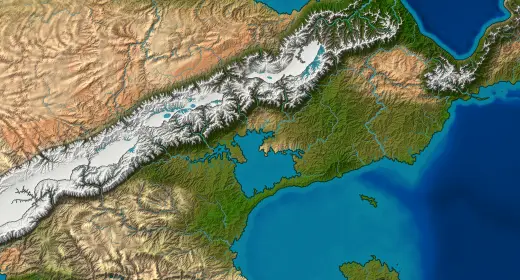
Water flows downhill into rivers, lakes and seas. In dry inland basins, evaporation shrinks lakes, and some dry out completely.
-
 06
06Realms and peoples
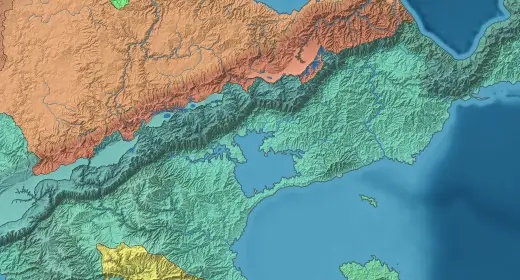
Geography shapes borders and settlement. Realms follow rivers, coasts and watersheds. Peoples spread through land like their homeland, whatever the borders.
01Plates and mountains
From continent to valley
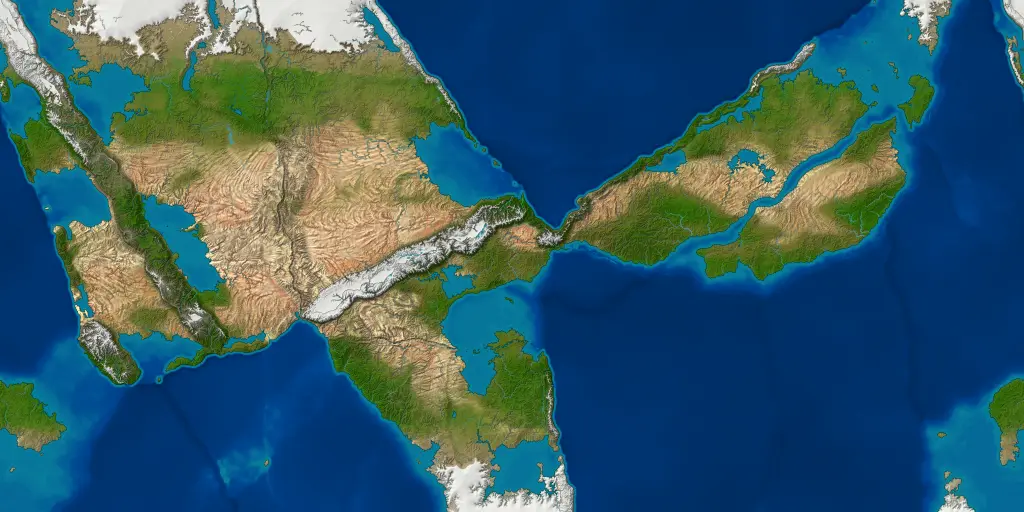
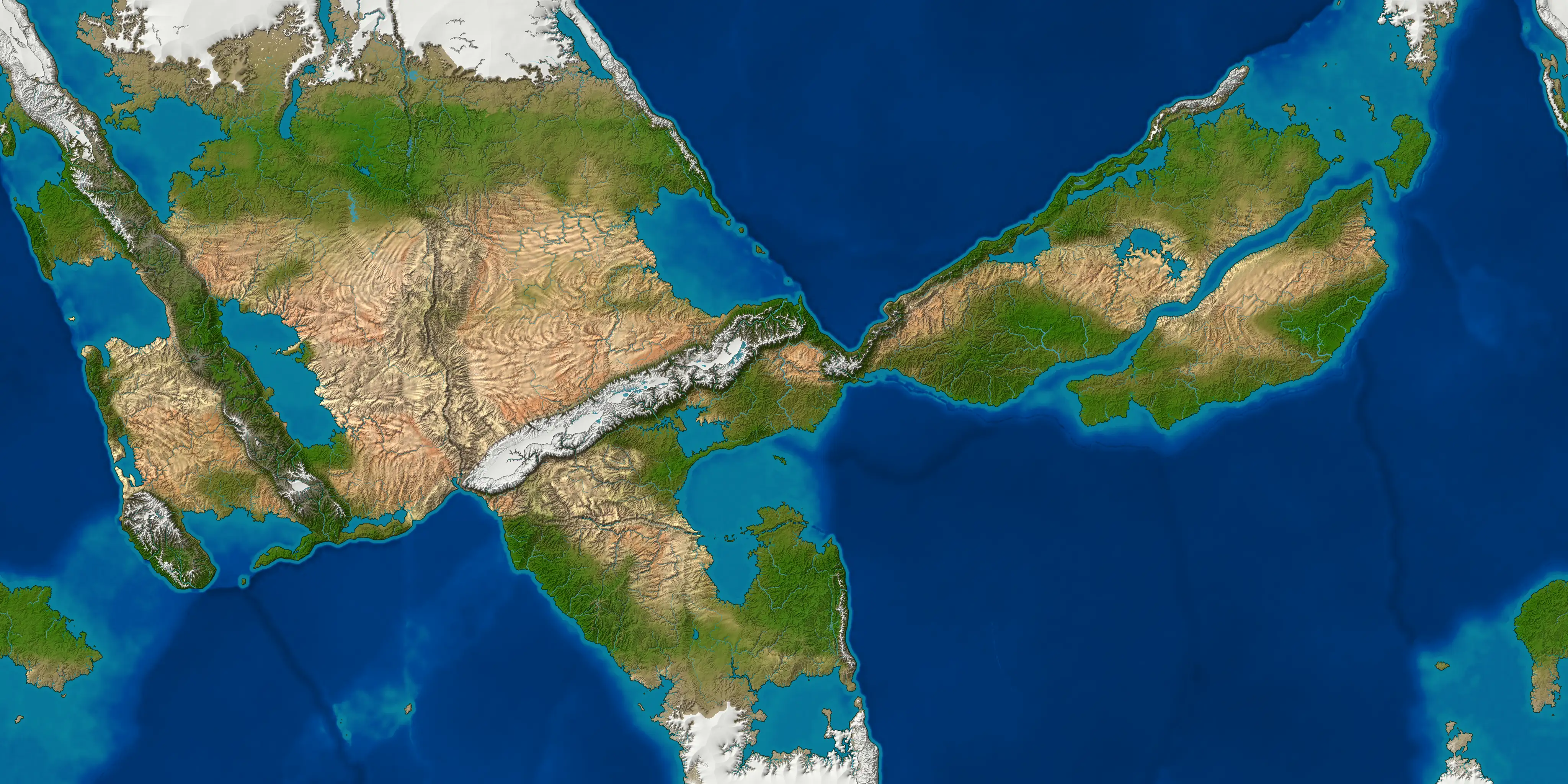
See the whole world, then look closer at its rivers, valleys and coastlines.
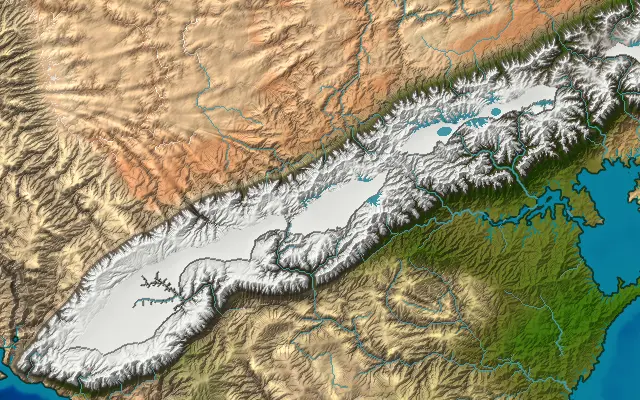
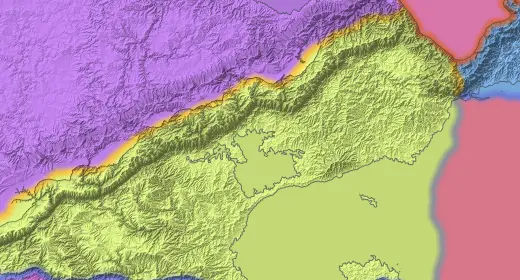
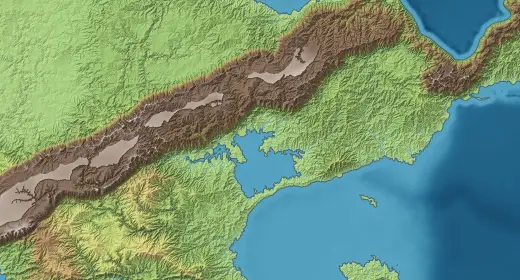
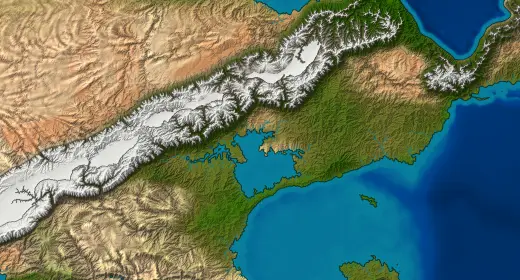
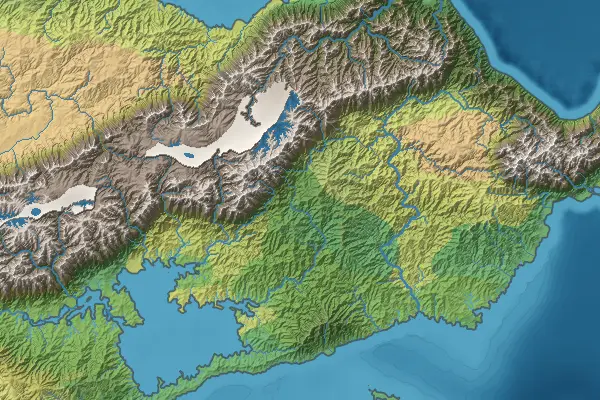
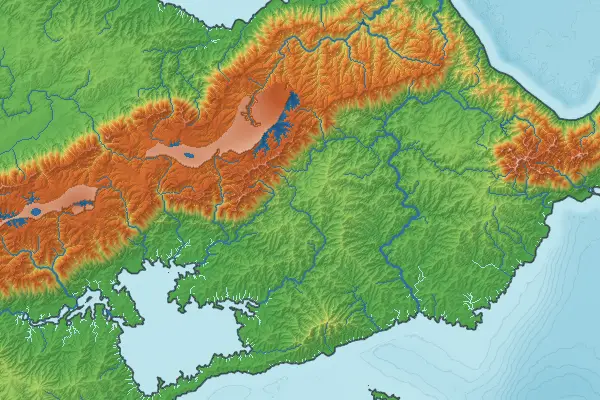
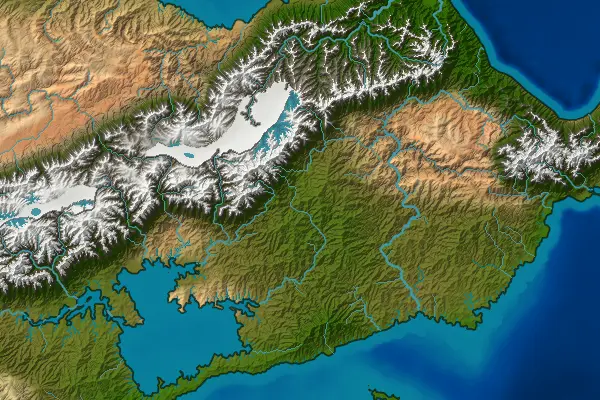
Map styles
Compare the same landscape in Atlas, Schoolroom and Satellite.
-
 01
01Atlas
Combines elevation and climate colors.
-
 02
02Schoolroom
Shows elevation alone.
-
 03
03Satellite
Shows the ground as seen from orbit.
The data behind the map
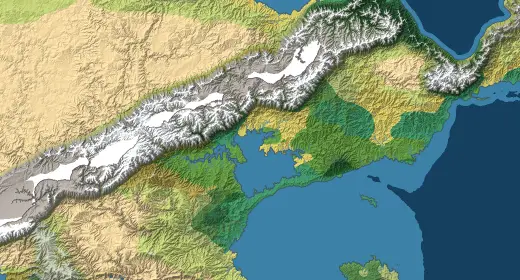
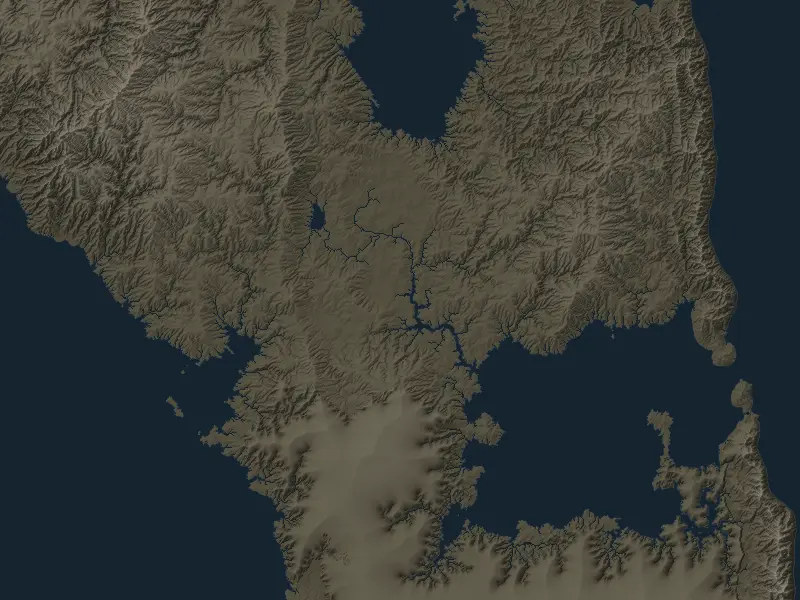
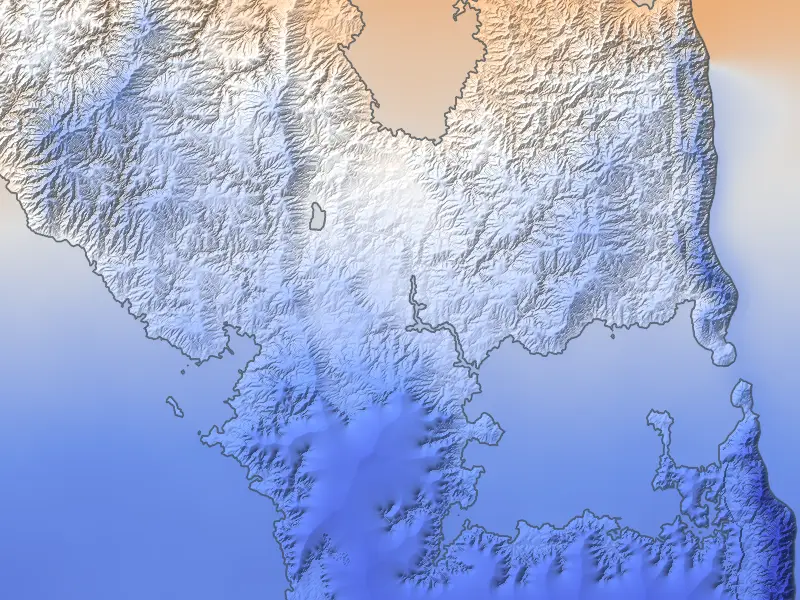
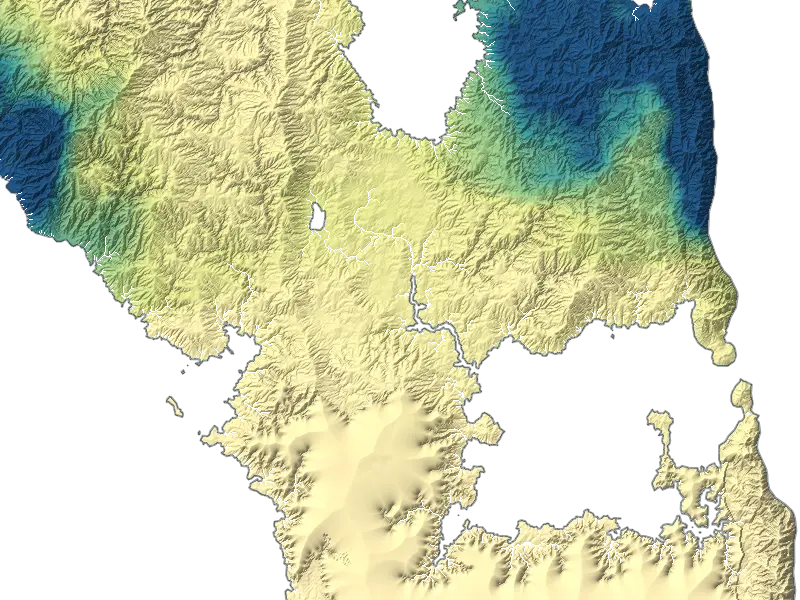
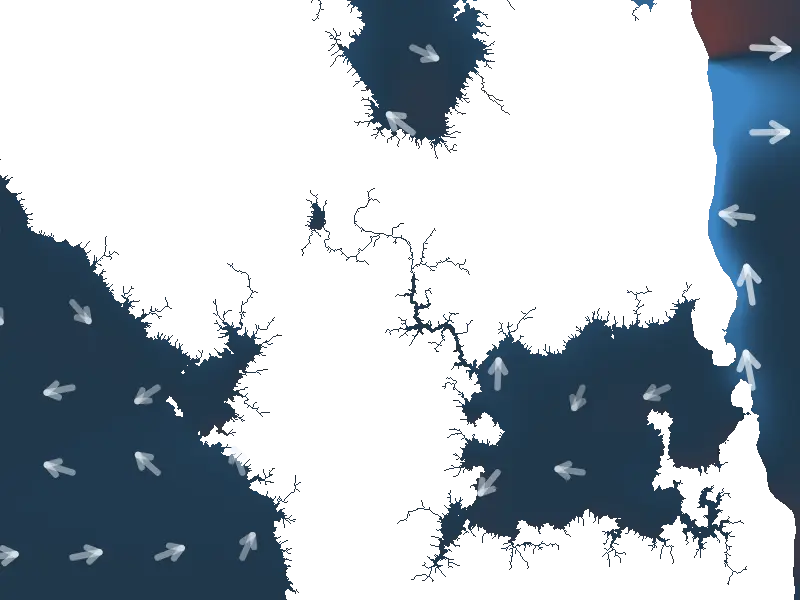
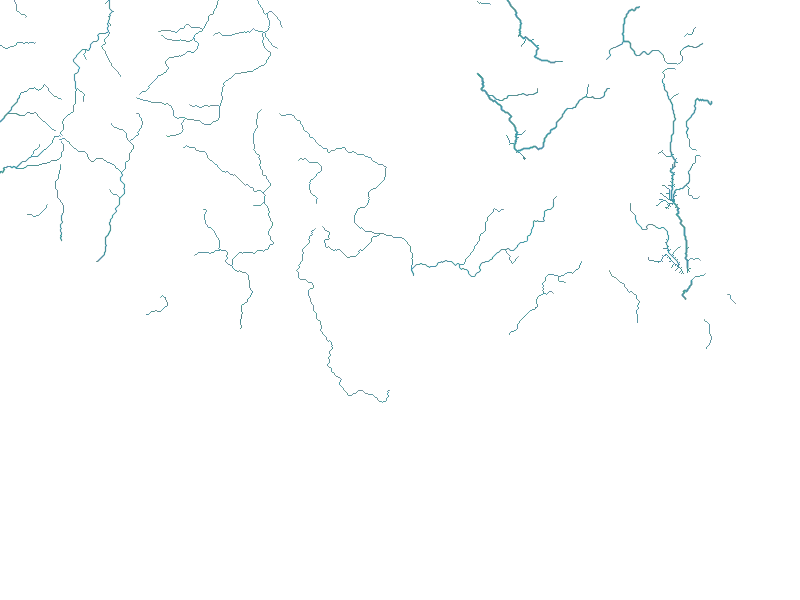
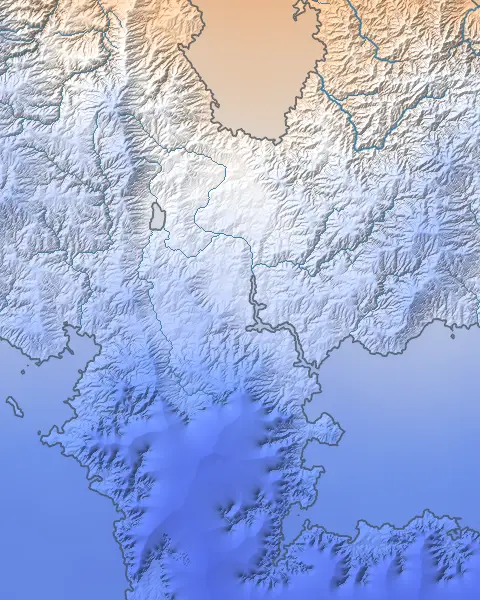
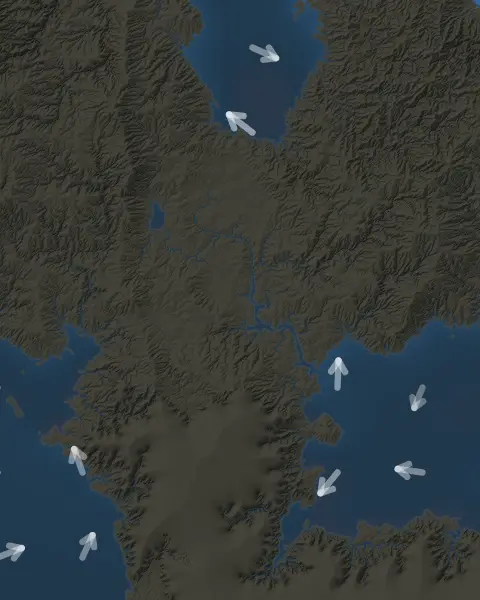
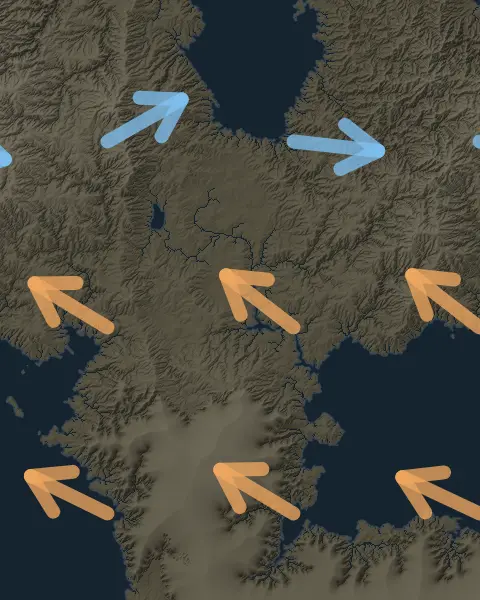
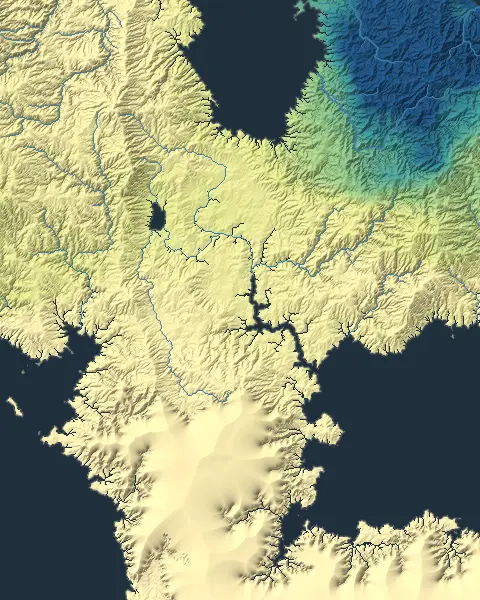
The same coastline again, showing the temperature, ocean currents, winds and rainfall the generator worked out for it.
-
 01
01Temperature
The average temperature over the year, from cold to hot.
-
 02
02Ocean currents
Surface currents, colored by whether the water is warmer or colder than usual for its latitude.
-
 03
03Winds
The prevailing wind through the year.
-
 04
04Rainfall
The annual rainfall, from dry to wet.
More map styles and data views are in the generator.
Every seed is a world
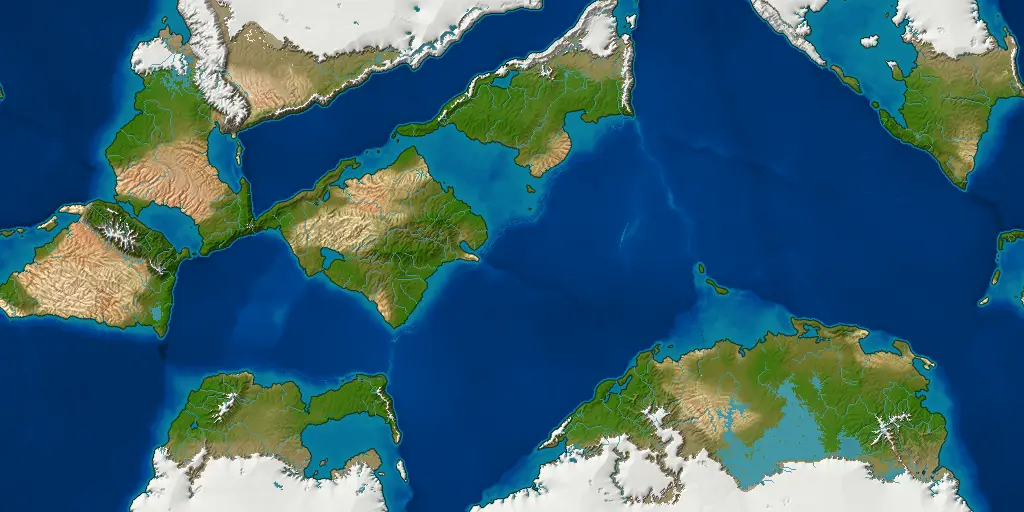
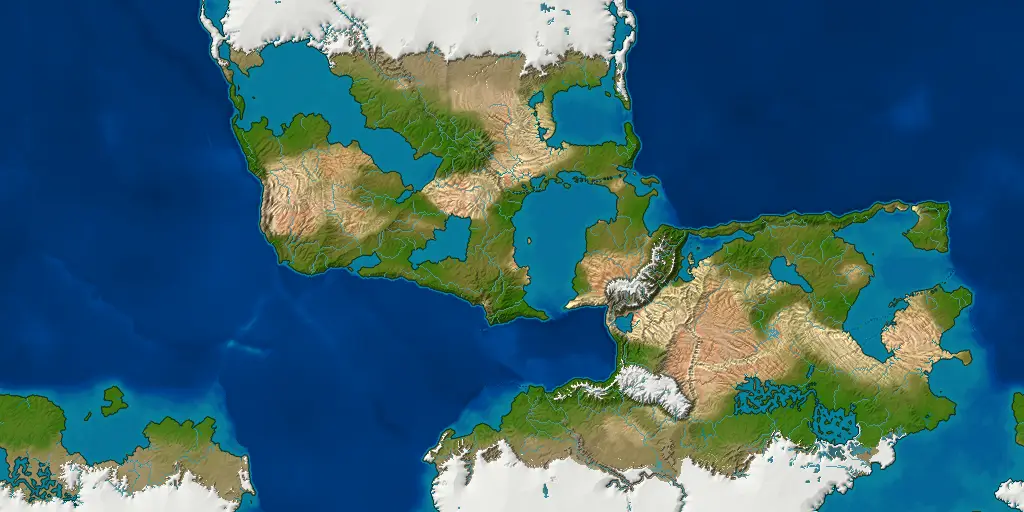
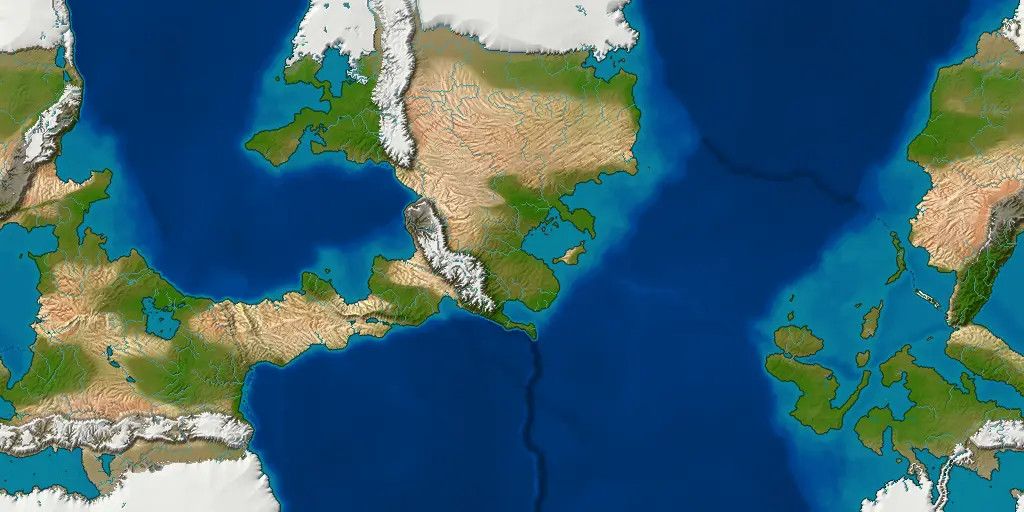
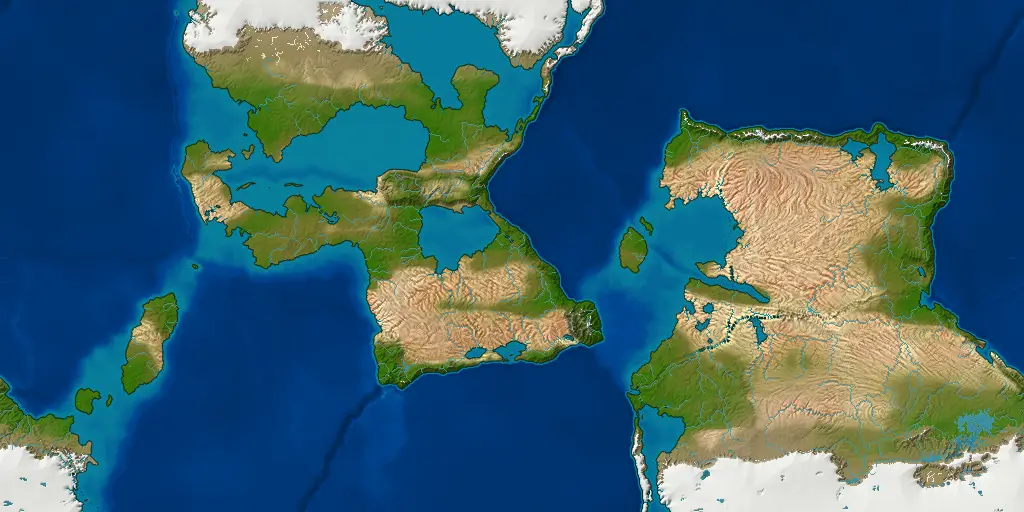
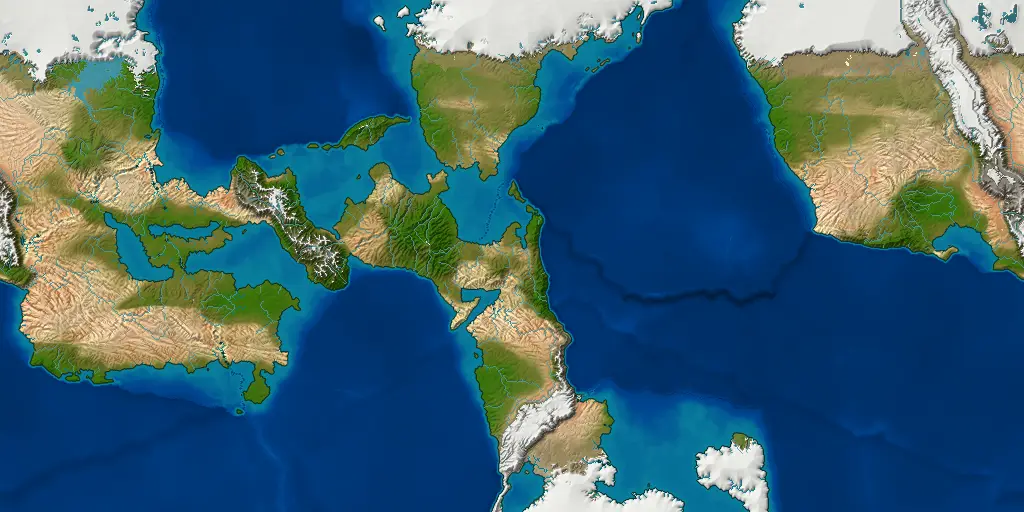
Five more worlds, each from a different seed, made at 512 rows with the starting settings. Each opens in the older browser preview, whose earlier generator makes it a little differently.
-
Seed 42 Open seed 42 in the app
-
Seed 1066 Open seed 1066 in the app
-
Seed 2024 Open seed 2024 in the app
-
Seed 777 Open seed 777 in the app
-
Seed 7 Open seed 7 in the app
Features
- Views
- Fifteen views, including political borders, peoples, elevation, biomes, seasonal temperature and rainfall, tectonic plates, ocean currents and winds.
- Styles
- Thirteen map styles, opening on Satellite, painted from the ground itself, and including Atlas, Vellum, Ink wash, Nautical, Pen and ink, Mars, Natural and a color-blind-safe palette.
- Themes
- Seventeen interface themes, including light, dark, high contrast and color-blind options.
- Editing
- Rename realms, capitals and landmarks, edit their details and notes, and place your own labels. Future updates will add a full atlas system for editing borders, landmarks and labels in more depth.
- Saves
- Save a world and reopen the same file later, with your edits and labels.
- Export
- Export the map as a PNG, WebP or JPEG image. You can also export the data behind it for other tools: a 16-bit heightmap with its scale in meters, and biome and realm maps with their legends. The desktop app makes every world at 1024, and its map images are 2048 × 1024 pixels.
- Resolution
- Every world is made on one grid of 1024 rows, each cell about 20 km across.
- Acceleration
- Optional graphics acceleration uses the graphics card to speed up erosion, ocean currents and ice sheets, through OpenGL on the desktop, and the desktop app draws exported maps on the graphics card.
Notes
The browser preview
The browser version is an older preview and is no longer updated: it runs an earlier generator than the desktop app, so its worlds differ from the pictures on this page. For the current version, download the desktop app.
The preview runs in a recent Chrome, Edge, Firefox or Safari. The first visit downloads the generator, about 4.7 MB, and caches it; nothing you make is uploaded anywhere. The desktop app opens worlds saved in it.
Sizes, formats and speed
An export is the world on screen, one pixel to a cell. Map images are twice as wide as they are tall, so a world of 1024 rows exports as a 2048 × 1024 picture.
PNG keeps every pixel. WebP is smaller and softens thin rivers and borders slightly.
The Atlas panel is a work in progress
Today the Atlas panel in the app lists a world's realms and landmarks. You can rename them and place your own labels, and your changes are saved with the world. Version 5.0 is planned to add named continents, seas, bays, straits and mountain ranges, labeled the way a printed atlas labels them.
Desktop versionWindows · Linux
The desktop app makes larger worlds, up to 2048, or 4096 with 24 GB of memory or more, and spreads the work across your processor's cores. See the download section below for each system's files and how to install them.
Get the latest release ↗Download and install
Choose your system to see its downloads and how to install them. The desktop app is the current version; the browser preview is an older one, kept online as it was.
The portable zip installs nothing: unzip it and run Cartogenesis.exe. The MSI installer runs a wizard to install it in your chosen program directory like any other program. It is unsigned, so Windows shows a SmartScreen warning. If you trust the download, choose “More info”, then “Run anyway”.
- Java is included, so there is nothing else to install.
- Draws exported pictures on the graphics card where there is one, and runs erosion, ocean currents and the ice sheet on it when you switch graphics acceleration on.
The apt repository is recommended, so later releases arrive with apt upgrade. These three commands fetch the signing key, add the source line and install:
sudo curl -fsSL https://cartogenesis.com/apt/key.asc -o /etc/apt/keyrings/cartogenesis.asc
echo "deb [signed-by=/etc/apt/keyrings/cartogenesis.asc] https://cartogenesis.com/apt stable main" | sudo tee /etc/apt/sources.list.d/cartogenesis.list
sudo apt update && sudo apt install cartogenesisOr install the .deb with apt, or unpack the portable tarball and run it.
- Java is included, so there is nothing else to install.
- Graphics acceleration has been tested with the open-source Mesa drivers, but not yet with NVIDIA's own driver.
- Saved worlds go in
~/.cartogenesis/worldsunless you choose another folder.
An older preview, no longer updated: it runs an earlier generator than the desktop app. It runs in a recent Chrome, Edge, Firefox or Safari; nothing is installed, and nothing you make is uploaded.
- Makes worlds up to 1024; on a phone, worlds generate at 512 by default.
- The desktop app opens worlds saved in the preview.
What comes next
Recent releases, the current one, and upcoming plans. Email [email protected] to suggest a feature, or click the Suggest a feature link at the bottom of the page to send it through GitHub.
- 3.1.0
- More consistent rainfall on large maps, monsoon coasts, more realistic ice sheets, and softer edges between forest and open land.
- 3.2.0
- Erosion that depends on rainfall and plant cover, rivers that start where the slope and water flow allow, and ice sheets without stripes down their sides.
- 3.3.0Current
- An Earth-sized planet with a real atmosphere: seasons, high-pressure cells, monsoons and trade winds that decide where rain and deserts fall; plains and continental shelves in Earth's proportions; and a new map style that looks like satellite imagery.
- 3.x
- Storms and the jet stream, and cold ocean currents that make coastal deserts.
- 3.x
- Waves that shape beaches, spits and barrier islands, and rivers that widen downstream, with meanders, braided reaches and marshes.
- 3.x
- More control over how the map is drawn, and a topographic style with contour lines.
- 3.x
- Faster generation on the graphics card.
- 3.x
- A choice of how big the planet is, and saved worlds that keep opening after an update.
- 4.0
- The world as a sphere: a globe to turn, and a choice of map projections for the whole-world map and for exports.
- 4.x
- 3D models of your world: terrain for game engines, 3D-printable regions and globes, and cross sections through the land.
- 4.x
- Start from your own terrain: import a heightmap from Wonderdraft or any grayscale image, or paint the land yourself and let the climate, rivers and everything else generate around it.
- 5.0
- The atlas: named land and sea features, labeled the way a printed atlas labels them. Renaming places and placing labels already work and will carry over.
- 5.x+
- Tidal estuaries, coral reefs and atolls; then sets of map symbols, such as trees, hills and towns, to place over the map.
Found something wrong? Report it with the seed and the generation resolution. Open an issue, or write to [email protected]. Help ▸ Report a bug… in the app fills the form in for you.
Have a feature in mind? Say so. Suggest a feature, or write to [email protected].